6 Months Diploma in Linux System Administration | Craw Security

Master Linux, Automation, Networking, Python, Containers, and OpenShift with Craw Security

The Best Linux Training Institute in India, Craw Security, offers a career-focused 6 Months Diploma in Linux System Administration for students, IT professionals, system administrators, network engineers, cloud learners, and cybersecurity aspirants who want to build strong Linux and enterprise infrastructure skills.

In order to help students develop from the foundations of Linux to advanced system administration, Ansible automation, enterprise services management, containers, Kubernetes, and Red Hat OpenShift administration, this diploma program has been carefully crafted.

Craw Security provides accredited training, certification guidance, and vouchers at affordable costs as one of Red Hat Inc.'s Accredited Training Partners. With its thorough lab-based training, experienced teachers, and industry-focused modules, this course equips students for real-world Linux administration and enterprise IT responsibilities.

Red Hat Accredited

Authentic Red Hat learning pathways and certification support.

256 Hours of Training

Rigorous lab and lecture-based education.

For Beginners & Professionals

Starts with Linux fundamentals, advances to OpenShift.

Career-Focused Program

Certification guidance and voucher assistance.

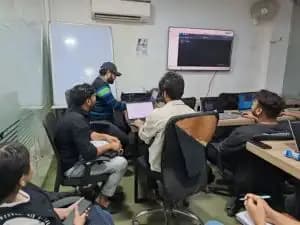
Craw Security High-End Learning Labs

Lab1
Lab2
Lab3
Lab4
Lab5
Lab6
Lab7
Lab8
Lab9

Live Instructor-Based Classes

Book a Demo Class

Expert Instruction

Find the Right Instructor for you

Lifetime Access

Online and Youtube Videos

Course Detail


Course DetailInformation
Course Name6 Months Diploma in Linux System Administration
Training InstituteCraw Security
Duration6 Months
Total Instructional Hours256 Hours
Learning FormatIntensive Lab + Lecture
Module Duration32 Hours Each
Training ModeClassroom / Online / Instructor-Led
Suitable ForStudents, IT Professionals, Linux Beginners, System Admins, Cloud Learners, DevOps Aspirants
Certification SupportRed Hat Training, Certification Guidance, and Voucher Assistance

Course Overview


The 6 Months Diploma in Linux System Administration offers a thorough professional training curriculum covering Linux from basic to advanced levels. The course covers networking concepts, automation, OpenShift, Red Hat-based system administration modules, and Python for automation and SRE-focused tasks.

Why Choose Craw Security for Linux System Administration Training?


The 6 Months Diploma in Linux System Administration offers a thorough professional training curriculum covering Linux from basic to advanced level. The Linux System Administration Diploma Course was designed to equip students with the precise skills required in today's cloud, DevOps, cybersecurity, enterprise IT, and infrastructure management contexts.

Students who enroll in this course will have access to expert-led instruction, real-time laboratories, organized modules, practical assignments, and certification-focused preparation. Because Craw Security is an Accredited Training Partner of Red Hat Inc., students can benefit from authentic Red Hat learning pathways and professional training support.

Complete Syllabus of 6 Months Diploma in Linux System Administration


The course covers administration, automation, networking, OpenShift, enterprise services, and Python automation modules.

Download Syllabus
ModuleCourse Code / TrackCourse NameDurationKey Learning Area
1RH124Red Hat System Administration I32 HoursCore Linux fundamentals
2RH134Red Hat System Administration II32 HoursAdvanced Linux administration
3AU294Enterprise Linux Automation with Ansible32 HoursAutomating Linux at scale
4RH358Red Hat Services Management and Automation32 HoursManaging and automating enterprise services
5DO180Red Hat OpenShift Administration I32 HoursIntroduction to containers and Kubernetes
6DO280Red Hat OpenShift Administration II32 HoursManaging production OpenShift clusters
7CCNA Fundamentals TrackNetworking32 HoursNetworking basics and infrastructure concepts
8Python Automation TrackPython for Automation and SRE32 HoursPython scripting, automation, and SRE-focused tasks

What You Will Learn in This Linux Diploma Course?


Craw Security's instructors teach students how to install, configure, administer, troubleshoot, and automate this Linux System Administration Course. In addition, the course starts with fundamental Linux commands and moves on to more complex server management, network configuration, storage management, automation, security, and container orchestration.

You will also observe how enterprise IT teams use Ansible automation, Red Hat Enterprise Linux, OpenShift, Kubernetes, Python scripting, and networking concepts to manage large-scale infrastructure.

Key Topics Covered


Students learn system administration in this program. Linux file systems, command-line usage, users and groups, permissions, processes, software packages, and fundamental system administration are all understood by learners.

Additionally, the following is the course's primary curriculum:

  • Module 1: Get Started with Red Hat Enterprise Linux
  • Module 2: Access the Command Line
  • Module 3: Manage Files From the Command Line
  • Module 4: Get Help in Red Hat Enterprise Linux
  • Module 5: Create, View, and Edit Text Files
  • Module 6: Manage Local Users and Groups
  • Module 7: Control Access to Files
  • Module 8: Monitor and Manage Linux Processes
  • Module 9: Control Services and Daemons
  • Module 10: Configure and Secure SSH
  • Module 11: Analyze and Store Logs
  • Module 12: Manage Networking
  • Module 13: Archive and Transfer Files
  • Module 14: Install and Update Software Packages
  • Module 15: Access Linux File Systems
  • Module 16: Analyze Servers and Get Support
  • Module 17: Comprehensive Review

Advanced management, logical volumes, scheduled tasks, boot process, network configuration, security settings, and troubleshooting are the main focus of this topic.

Additionally, the following is the course's primary curriculum:

  • Module 1: Improve Command Line Productivity
  • Module 2: Schedule Future Tasks
  • Module 3: Tune System Performance
  • Module 4: Manage SELinux Security
  • Module 5: Manage Basic Storage
  • Module 6: Manage Storage Stack
  • Module 7: Access Network-Attached Storage
  • Module 8: Control the Boot Processes
  • Module 9: Manage Network Security
  • Module 10: Install Red Hat Enterprise Linux
  • Module 11: Run Containers
  • Module 12: Comprehensive Review

Students systems. Playbooks, inventories, roles, variables, automation workflows, and large-scale system management are all covered in this module.

Additionally, the following is the course's primary curriculum:

  • Module 1: Develop Playbooks with Ansible Automation Platform 2Develop Ansible Playbooks with Red Hat Ansible Automation Platform 2 by following recommended practices.
  • Module 2: Manage Ansible Content Collections and Automation Execution EnvironmentsRun playbooks that use content collections not included in ansible-core, either from an existing execution environment or by downloading them from the automation hub.
  • Module 3: Run Playbooks with Automation ControllerExplain what an automation controller is and demonstrate how to use it to run playbooks that you developed with the automation content navigator.
  • Module 4: Work with Ansible Configuration SettingsExamine and adjust the configuration of Ansible and Automation Content Navigator to simplify development and to troubleshoot issues.
  • Module 5: Manage InventoriesManage inventories by using advanced features of Ansible.
  • Module 6: Manage Task ExecutionControl and optimize the execution of tasks by Ansible Playbooks.
  • Module 7: Transform Data with Filters and Plug-insPopulate, manipulate, and manage data in variables using filters and plug-ins.
  • Module 8: Coordinate Rolling UpdatesUse advanced features of Ansible to manage rolling updates in order to minimize downtime and to ensure maintainability and simplicity of Ansible Playbooks.
  • Module 9: Create Ansible Content Collections and Automation Execution EnvironmentsWrite your own Ansible Content Collections, publish them, embed them in a custom automation execution environment, and run them in playbooks by using the automation controller.

Students in this session. Students comprehend automation, performance management, system reliability, and service configuration.

Additionally, the following is the course's primary curriculum:

  • Module 1: Manage network services
  • Module 2: Configure link aggregation
  • Module 3: Manage DNS and DNS servers
  • Module 4: Manage DHCP and IP address assignment
  • Module 5: Manage printers and printing files
  • Module 6: Configure email transmission
  • Module 7: Configure MariaDB SQL databases
  • Module 8: Configure web servers
  • Module 9: Optimize web server traffic
  • Module 10: Provide file-based network storage
  • Module 11: Access block-based network storage

Students are introduced to containers, Kubernetes fundamentals, container images, pods, deployments, and basic OpenShift administration.

Additionally, the course's primary curriculum is as follows:

  • Module 1: Introduction to Kubernetes and OpenShiftIdentify the main Kubernetes cluster services and OpenShift platform services, and monitor them from the web console.
  • Module 2: Kubernetes and OpenShift Command-Line Interfaces and APIsAccess an OpenShift cluster from the command line, and query its Kubernetes API resources to assess the health of a cluster.
  • Module 3: Run Applications as Containers and PodsRun and troubleshoot containerized applications as unmanaged Kubernetes pods.
  • Module 4: Deploy Managed and Networked Applications on KubernetesDeploy applications and expose them to network access from inside and outside a Kubernetes cluster.
  • Module 5: Manage Storage for Application Configuration and DataExternalize application configurations in Kubernetes resources, and provision storage volumes for persistent data files.
  • Module 6: Configure Applications for ReliabilityConfigure applications to work with Kubernetes for high availability and resilience.
  • Module 7: Manage Application UpdatesManage reproducible application updates and rollbacks of code and configurations.

The management of cluster security, networking, scaling, and troubleshooting are the main topics of this advanced OpenShift module.

Additionally, the following is the course's primary curriculum:

  • Module 1: Declarative Resource ManagementDeploy and update applications from resource manifests that are parameterized for different target environments.
  • Module 2: Deploy Packaged ApplicationsDeploy and update applications from resource manifests that are packaged for sharing and distribution.
  • Module 3: Authentication and AuthorizationConfigure authentication with the HTPasswd identity provider and assign roles to users and groups.
  • Module 4: Network SecurityProtect network traffic between applications inside and outside the cluster.
  • Module 5: Expose non-HTTP/SNI ApplicationsExpose applications to external access without using an Ingress controller.
  • Module 6: Enable Developer Self-ServiceConfigure clusters for safe self-service by developers from multiple teams and disallow self-service if projects have to be provisioned by the operations staff.
  • Module 7: Manage Kubernetes OperatorsInstall and update Operators that are managed by the Operator Lifecycle Manager and by the Cluster Version Operator.
  • Module 8: Application SecurityRun applications that require elevated or special privileges from the host Operating System or Kubernetes.
  • Module 9: OpenShift UpdatesUpdate an OpenShift cluster and minimize disruption to deployed applications.

Everything is networking. IP addressing, routing, switching, network protocols, subnetting, and infrastructure communication are all covered in this track.

Additionally, the following is the course's primary curriculum:

  • Module 01: Introduction
  • Module 02: Introduction to Networking
  • Module 03: Cisco Operating System IOS
  • Module 04: IPv4 Addressing
  • Module 05: Subnetting
  • Module 06: Cisco Network Devices
  • Module 07: Packet Flow
  • Module 08: Router & Switch Basic Configuration
  • Module 09: Cisco Device Management
  • Module 10: Basic Network Troubleshooting
  • Module 11: IPv4 Routing
  • Module 12: Dynamic Routing Protocols
  • Module 13: Interior Gateway Protocols (IGP)
  • Module 14: Open Shortest Path First (OSPF)
  • Module 15: Virtual Local Area Network (VLAN)
  • Module 16: Inter-VLAN Routing
  • Module 17: Dynamic Host Configuration Protocol (DHCP)
  • Module 18: Hot Standby Routing Protocol (HSRP)
  • Module 19: Spanning Tree Protocol (STP)
  • Module 20: EtherChannel
  • Module 21: Switch Security
  • Module 22: Access Control List (ACL)
  • Module 23: Network Address Translation (NAT)
  • Module 24: IPv6 Addressing and Routing
  • Module 25: Wide Area Networks (WAN)
  • Module 26: Security Concepts
  • Module 27: Network Device Security
  • Module 28: Network Device Management
  • Module 29: Quality of Service (QoS)
  • Module 30: Cloud Computing
  • Module 31: Wireless Networks
  • Module 32: Network Automation and Programmability

Python scripting task automation, API interaction, and SRE-focused processes are taught to students in this topic.

Additionally, the following is the course's primary curriculum:

  • Module 01: Python – An Introduction Special Elements Used in an OS Command
  • Module 02: Comparisons of Python with Other Languages
  • Module 03: Python Variables & Data Types
  • Module 04: Operators
  • Module 05: Python Conditional Statements
  • Module 06: Python Looping Concept
  • Module 07: Python Control Statements
  • Module 08: Python Data Type Casting
  • Module 09: Python Number
  • Module 10: Python String
  • Module 11: Python List
  • Module 12: Python Tuple
  • Module 13: Python Dictionary
  • Module 14: Python Array
  • Module 15: Python Date & Time
  • Module 16: File Handling (Input / Output)
  • Module 17: Multithreading
  • Module 18: Python Mail Sending Program
  • Module 19: Database Connection
  • Module 20: OOPs Concepts
  • Module 21: Interacting with Networks
  • Module 22: Graphical User Interface
  • Module 23: Python Web Scraping
  • Module 24: Python for Image Processing
  • Module 25: Python Data Science

Who Should Join This Course?


This 6 Months Diploma in Linux System Administration Course is appropriate for:

  • Students who work in cloud computing, DevOps, Linux administration, or cybersecurity.
  • Professionals in the workforce who want to learn more about Linux, infrastructure management, and automation.
  • Network engineers who want to understand how to control and automate Linux systems.
  • Cybersecurity students who want to become proficient in Linux for digital forensics, penetration testing, ethical hacking, and SOC.
  • Aspiring cloud and DevOps professionals who want to build a strong foundation in Linux, Ansible, containers, Kubernetes, and OpenShift.

Career Opportunities After This Course


After completing this 6 Months Diploma in Linux System Administration, learners can apply for a range of positions in IT, cloud, cybersecurity, DevOps, and infrastructure management.

Popular career roles include:

  • Infrastructure Engineer
  • SRE Trainee
  • Linux Automation Engineer
  • IT Support Engineer
  • Network Support Engineer
  • DevOps Associate
  • Cloud Support Engineer
  • OpenShift Administrator
  • Linux System Administrator
  • Red Hat Linux Administrator
  • Technical Support Engineer

Why is Linux System Administration Important Today?


Linux includes servers, cloud platforms, cybersecurity tools, DevOps pipelines, containers, and enterprise apps. Businesses are looking for skilled Linux specialists who can manage systems, automate procedures, secure servers, troubleshoot issues, and support production settings.

The growing need for cloud computing, DevOps, cybersecurity, and containerized apps has made Linux administration one of the most crucial technical skills for IT professionals.

Benefits of Enrolling 6 Months Diploma in Linux System Administration by Craw Security


The 6 Months Diploma in Linux System Administration by Craw Security is a thorough, career-focused program for students who want to build a strong foundation in Linux, automation, networking, Python, containers, and OpenShift. Through 256 hours of rigorous lab and lecture-based training, this course assists students in gaining the practical skills required for modern IT infrastructure employment.

As one of Red Hat Inc.'s Accredited Training Partners, Craw Security provides top-notch Red Hat-based training, certification support, and voucher assistance at a fair price. Regardless of your background—beginner, student, working professional, or IT enthusiast—this diploma program can help you build a strong foundation for a successful future in Linux system administration, cloud, DevOps, and cybersecurity.

Learn at your own pace

Choose Your preferred Learning Mode

Classroom Training

Classroom Training

We offer customized VILT (Virtual Instructor-Led Training) sessions at your convenient hours to provide effortless training.

Online Training

Online Training Class

One can also opt for the prerecorded video sessions available at any point of time from any particular location.

Corporate Training

Corporate Training

Hire a preferred trainer at your work premises at your chosen time slots and train your employees with full efficiency.

Placed Students

Tannu

Tannu

Placed in Aguna Solution pvt ltd

Satyam Kumar

Satyam Kumar

Placed in Aguna Solution pvt ltd

Sumit Chaudhary

Sumit Chaudhary

Placed in Cloud Infotech Pvt Ltd

Mohammad Azhar

Mohammad Azhar

Placed in Cloud Infotech Pvt Ltd

Aanchal

Aanchal

Placed in In2 it Technologies

Avinash Verma

Avinash Verma

Placed in idk2 Networks

Sudiksha Gulati

Sudiksha Gulati

Placed in Infocus IT Solution pvt ltd

Mohammad Sameer

Mohammad Sameer

Placed in Ewebguru

Harman Singh

Harman Singh

Placed in Cyber assure services pvt ltd

Purvang

Purvang

Placed in Cyber assure services pvt ltd

Mukund K, jha

Mukund K, jha

Placed in Cyber assure services pvt ltd

Shubham Singh

Shubham Singh

Placed in Nuvam Labs pvt ltd

Tanuj Sharma

Tanuj Sharma

Placed in Nuvam Labs pvt ltd

Ashutosh Chauhan

Ashutosh Chauhan

Placed in Algonauts Advisory Services

Satyam Kumar

Satyam Kumar

Placed in Aguna Solution pvt ltd

Mukund K, jha

Mukund K, jha

Placed in Wi-jungle

Mohit Dev

Mohit Dev

Placed in Wi-jungle

Shubham Gupta

Shubham Gupta

Placed in Wi-jungle

Adarsh Kumar

Adarsh Kumar

Placed in Wi-jungle

Nabeel Ahmed

Nabeel Ahmed

Placed in Wi-jungle

Ravinder Rajput

Ravinder Rajput

Placed in Cyber assure services pvt ltd

Maihar Kumar

Maihar Kumar

Placed in Cyber assure services pvt ltd

Arman Nagpal

Arman Nagpal

Placed in Cyber assure services pvt ltd

Diwakar Singh

Diwakar Singh

Placed in Cyber assure services pvt ltd

Sandeep Rajput

Sandeep Rajput

Placed in Cyber assure services pvt ltd

Mukund K, jha

Mukund K, jha

Placed in Cyber assure services pvt ltd

Shahnawaz

Shahnawaz

Placed in RSM Consulting pvt ltd

Anurag

Anurag

Placed in Techbridge Consultancy pvt ltd

Mukul Meena

Mukul Meena

Placed in ProExcel Technologies pvt ltd

Ravinder Rajput

Ravinder Rajput

Placed in RSC Technologies pvt ltd

About 6 Months Diploma in Linux System Administration by Craw Security

🎉Aman just enrolled in One Year Cyber Security Course.
Chat